Ever settled in for a film, only to be interrupted by constant buffering and pixelated screens? That frustration is all too familiar. It disrupts your relaxation and leaves you longing for a smoother experience.
Imagine instead a crystal-clear picture, uninterrupted by lag, where every goal, every scene, every moment is delivered in perfect harmony. This isn’t just a dream; it’s an achievable reality. By optimising your home network, you can reclaim your viewing pleasure.
One powerful method to achieve this is through a VLAN setup. This approach dedicates a specific pathway for your streaming traffic, separating it from other network demands. The result is a significant boost in stability and performance for your entertainment.
Discover how this clever configuration can transform your streaming, ensuring a superior viewing experience free from common interruptions. Let’s explore how to make it work for you.
Key Takeaways
- A VLAN setup can drastically reduce buffering and improve stream stability.
- It creates a dedicated network path specifically for your IPTV service.
- This separation optimises overall network performance for entertainment.
- Implementing a VLAN helps prioritise your streaming traffic over other uses.
- It is a practical solution for achieving a cinema-quality experience at home.
- Setting up a VLAN can be a straightforward process with the right guidance.
Understanding IPTV and Its Streaming Challenges
Internet Protocol Television (IPTV) is a new way to watch TV. It uses the internet to stream TV shows and movies. This means you can watch what you want, when you want, on many devices.

What is IPTV?
IPTV sends TV signals over the internet, not through old-fashioned cables or satellites. You can watch it on smart TVs, computers, and phones. It turns TV signals into internet packets for smooth streaming.
There are three main types of IPTV services:
- Live television: Just like regular TV, it’s live
- Time-shifted media: Watch shows later, like catch-up TV
- Video on demand: Watch what you want, when you want
IPTV is getting more popular because it’s flexible. But, it needs a strong network to work well. Look for reliable IPTV providers for the best experience.
Common IPTV Streaming Issues
Even with new tech, IPTV can still have problems. One big issue is buffering, where the video stops to load more. This usually happens when lots of devices use your network at once.
Latency is another big problem. It’s when there’s a delay between what you do and what happens on screen. This is really annoying during live events or interactive shows.
Packet loss is the worst, causing broken or missing data. This can make the video look bad or even stop working. These issues often come from:
- Not enough bandwidth
- Other devices messing with your network
- Bad router settings
- Being far from your internet provider
Knowing about these problems shows why setting up your network right is key. The right setup can make IPTV much better.
What is a VLAN and Why It Matters for IPTV
Streaming IPTV content relies heavily on your network setup. Virtual Local Area Networks (VLANs) are a key solution for better streaming. They change how your network handles different types of traffic.

Defining Virtual Local Area Networks
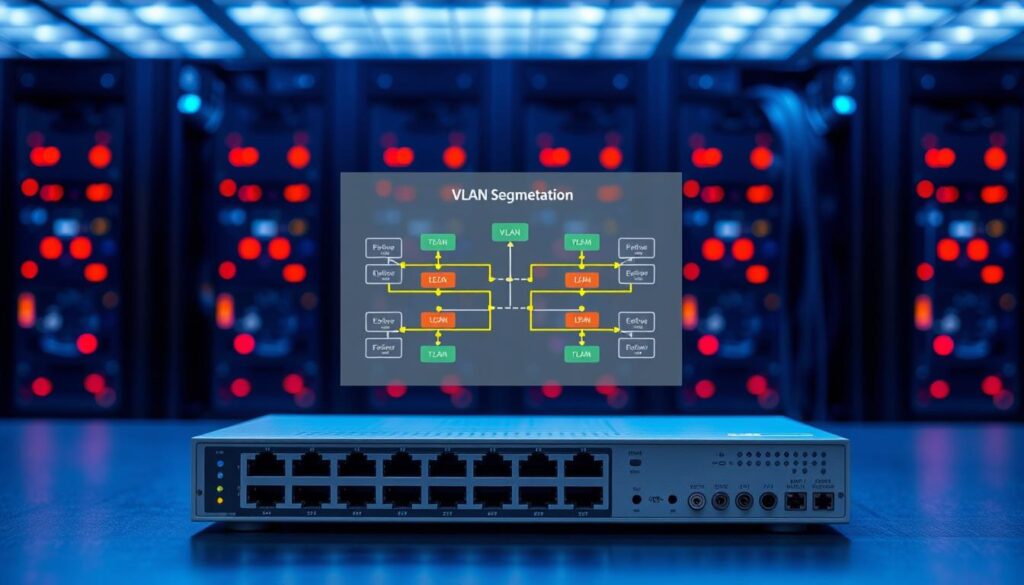
A VLAN splits your physical network into separate virtual networks. It’s like having multiple virtual roads on the same physical road. Each VLAN is its own broadcast domain, so traffic from one doesn’t mix with others.
This setup lets you group devices by function, not location. Put all your IPTV devices in one VLAN. Keep computers, smartphones, and other gadgets in their own VLANs. This logical separation boosts media streaming benefits.
Benefits of Using VLANs for IPTV
Using VLANs for IPTV brings many advantages:
- Reduced network congestion – IPTV traffic is isolated, preventing other devices from slowing it down
- Improved security – Media devices are separated from computers and mobiles, adding security
- Dedicated bandwidth allocation – IPTV gets priority, ensuring smooth streaming even when busy
- Enhanced reliability – Issues with other devices won’t affect your streaming quality
These benefits make your IPTV experience more stable and enjoyable. The table below shows how VLANs solve common streaming problems:
| Common IPTV Issue | VLAN Solution | Result |
| Buffering during streaming | Dedicated bandwidth allocation | Smooth, uninterrupted playback |
| Quality fluctuations | Traffic isolation from other devices | Consistent HD quality |
| Security concerns | Separated network segments | Protected streaming environment |
| Network congestion | Prioritised traffic management | Reliable performance during peak usage |
VLANs create a private express lane for IPTV traffic. This ensures your streaming gets priority, improving performance and reliability.
When setting up your iptv network, using VLANs is a professional move. It tackles several issues at once and sets a solid base for future growth.

Essential Components for iptv vlan Setup
Creating a solid IPTV streaming experience needs the right hardware and software. Your VLAN setup’s success depends on picking equipment that supports advanced networking. It should also be easy to set up.
Hardware Requirements
Your router is the base of your network. For vlan configuration for iptv, you need a router that supports VLAN tagging and Quality of Service settings. Many modern routers have these features, but business-class models offer more.
Managed switches are key too. They let you create multiple VLANs and control traffic between them. Unlike unmanaged switches, managed ones offer detailed control over data flow.
Network adapters with VLAN support are also essential. Most modern network interface cards handle VLAN tagging well. But older hardware might need driver updates or replacement.
Software and Configuration Tools
Your router’s firmware is vital for VLAN setup. Many manufacturers offer web-based interfaces for network setup. These tools have VLAN setup sections for creating, modifying, and managing virtual networks.
Third-party firmware like DD-WRT or OpenWRT can boost your router’s features. These alternatives often have more advanced VLAN features than the standard firmware, giving you more control.
Network monitoring software is crucial for checking your vlan configuration for iptv. Tools like Wireshark help you see network traffic. This ensures VLAN tags are correctly applied and recognised across your network.
Configuration backup tools are important too. They protect your setup from accidental changes or hardware failures. Saving your router’s configuration regularly helps you quickly restore your VLAN settings if needed, keeping your IPTV performance consistent.
Step-by-Step Guide to iptv vlan Configuration
Setting up a iptv vlan setup makes your streaming better. It creates special paths for TV content in your network. This means your TV gets the best service in your home.
Planning Your VLAN Structure
Start by making a detailed network plan. Think about how many devices need IPTV and where they are. This helps avoid problems later.
Focus on these key points:
- How many devices need IPTV access
- Your network’s physical setup
- What you might need in the future
- How it fits with your current network
Use simple diagrams to show your plan. This visual guide is very helpful when you start setting things up.
Configuring Your Router for VLANs
Most routers can handle VLANs through their settings. Just enter your router’s IP address in your browser to get started.
Here’s how to set up your router:
- Log into your router’s settings
- Go to the VLAN section
- Create a VLAN for IPTV
- Choose a unique VLAN ID (usually 2-4094)
- Save your changes
“Proper VLAN setup helps keep your network clear. It makes media streaming better.”
After setting up your VLAN, pick which ports to use for IPTV. This decides which physical connections will carry your TV content.
Setting Up VLAN Tagging
VLAN tagging labels packets so they go to the right place. This is key to keeping different types of network traffic separate.
Here’s how to do it:
| Configuration Area | Setting | Recommended Value |
| VLAN ID | Tagging Identifier | Choose an unused ID (like 50) |
| Priority | Quality of Service | High (6-7) |
| Port Settings | Tagging Mode | Tagged or Untagged as needed |
Check your setup by connecting an IPTV device to a tagged port. Make sure it works well before you’re done.
Keep in mind, different devices might call things differently. Always check your device’s manual for the right steps.
Optimising Network Settings for IPTV Performance
Improving your network settings can make your IPTV experience much better. This is especially true when you use VLAN technology. First, set up your VLAN. Then, tweak your network settings to cut down on buffering and keep streaming quality high.
This process focuses on two main areas: making sure IPTV traffic gets priority and managing bandwidth well.
Quality of Service (QoS) Configuration
Quality of Service is a key tool for making sure IPTV gets the bandwidth it needs. With QoS, you can set IPTV streams as high-priority. This means they get more bandwidth than other activities on your network.
This is very important in homes with lots of people using the internet at the same time.
To set up QoS, go to your router’s settings. There, you can make rules based on different things:
- Port-based prioritisation for common IPTV ports
- MAC address prioritisation for your set-top boxes
- Protocol-based rules for streaming protocols
- Application-specific prioritisation
For more help on setting up QoS, check out this network optimisation guide. It has tips for both home and business use.
Bandwidth Management Tips
Good bandwidth management means your IPTV streams don’t fight with other network activities. Start by figuring out how much bandwidth you have. Then, give IPTV the right amount based on the stream quality.
Most IPTV services, especially those with 4K streaming, need a lot of bandwidth to look good.
Here are some tips for managing bandwidth:
- Schedule big downloads when you’re not watching IPTV
- Limit bandwidth for apps you don’t need
- Use traffic shaping on your router if it can
- Watch how much bandwidth each device uses to find where the problem is
The table below shows how much bandwidth you might need for different stream qualities. This helps you plan your bandwidth better:
| Stream Quality | Minimum Bandwidth | Recommended Bandwidth | Buffer Margin |
| SD (480p) | 3 Mbps | 5 Mbps | 2 Mbps |
| HD (1080p) | 5 Mbps | 8 Mbps | 3 Mbps |
| Full HD (1080p) | 8 Mbps | 12 Mbps | 4 Mbps |
| 4K UHD | 15 Mbps | 25 Mbps | 10 Mbps |
Using iptv vlan tagging and these tips will make your viewing experience smooth. Always check and update your settings as your internet use changes.
iptv vlan Best Practices for Stable Streaming
Good VLAN management makes your IPTV experience better. It ensures your iptv vlan connectivity stays strong and steady. Keeping your setup in top shape is key to enjoying your entertainment without hassle.
Security Considerations
Keeping your network safe is crucial when using VLANs for IPTV. By isolating your streaming, you avoid security problems on other devices. This makes your entertainment content safe and separate.
Adding extra security steps is a good idea. Use firewall rules for your IPTV VLAN to block unwanted access. Also, update your network gear’s firmware regularly to fix security holes.
Strong passwords add to your security. Change default router and switch passwords to something strong. These simple steps help protect your streaming from outside threats.
Maintenance and Monitoring
Regular checks keep your iptv vlan connectivity at its best. Check your network gear and settings often. This way, you catch problems before they ruin your viewing.
Use tools to watch your network’s health. Many routers have features to show how much bandwidth your IPTV uses. These tools help ensure your IPTV stays in its own VLAN.
Keep a record of any changes you make. This helps you fix problems faster if they happen. It’s especially useful if you need to set up again after replacing equipment.
| Maintenance Task | Frequency | Key Benefits | Tools Required |
| Configuration Backup | Monthly | Quick recovery from issues | Router admin interface |
| Bandwidth Monitoring | Weekly | Identifies traffic patterns | Network monitoring software |
| Equipment Health Check | Quarterly | Prevents hardware failure | None (visual inspection) |
| Firmware Updates | As released | Security patches and features | Manufacturer’s website |
Regular maintenance is key to great iptv vlan connectivity. The table shows important tasks to keep your system running well. Doing these tasks regularly stops most problems that can mess up your IPTV.
Make sure to do speed tests for your IPTV VLAN often. These tests check if your settings are working right. They also spot any slow downs before they affect your viewing.
Also, keep up with updates from your IPTV provider. Sometimes, they make changes that might affect your VLAN. Being ready for these updates keeps your service smooth and your iptv vlan connectivity top-notch.
Enhancing Your Experience with Monster IPTV
After setting up your network with iptv vlan routing, picking the right streaming service is key. Monster IPTV is a top choice that fits well with your technical setup.
Monster IPTV Overview
Monster IPTV offers a top-notch streaming experience. It has a huge library of content. The service is known for its high-quality broadcasts in many categories.
Service Features
The platform has 38,000+ live channels covering sports, news, entertainment, and more. You also get access to 140,000+ TV series and 40,000+ movies in 4K resolution.
It works on many devices like Smart TVs, Firestick, Android, and iOS. You can watch on multiple devices, depending on your plan.
- Massive content library with regular updates
- Superior 4K streaming quality
- Works across all major devices and platforms
- Free trial available without credit card requirements
- 24/7 customer support via WhatsApp
Cons of Monster IPTV
- Premium pricing compared to basic IPTV services
- Internet-intensive for optimal 4K streaming
- Geographical restrictions may apply to some content
Recommendations for Use
For the best experience with Monster IPTV, follow these iptv vlan routing tips:
| Scenario | VLAN Configuration | Expected Benefit |
| Household with multiple users | Dedicated IPTV VLAN | Eliminates bandwidth competition |
| 4K streaming setup | Prioritised QoS tagging | Consistent ultra-HD quality |
| Multi-device environment | Separate VLAN per device type | Reduced network congestion |
Use Monster IPTV with good iptv vlan routing for smooth viewing. Try it for free before you buy.
For help, contact their support at +44 7846 162350 via WhatsApp. They’ll help with setting up on your devices.
Monster IPTV Pricing Plans and Options
Choosing the right IPTV subscription is important. Monster IPTV has flexible plans for different needs and budgets. They offer options for every household.
Monster IPTV’s prices are clear, with no hidden fees. Each plan has the same great features. The only difference is in how many connections you get and for how long.
Subscription Tiers and Connections
Monster IPTV has many plans to fit your needs. Whether it’s for one person or a whole family, they have you covered.
They offer four connection tiers:
- Single connection for individual viewers
- Two connections for couples or small families
- Three connections for medium-sized households
- Four connections for larger families or shared arrangements
Each tier is available in four duration options. This gives you flexibility in managing your subscription. Longer plans save you money compared to monthly payments.
| Connections | 1 Month | 3 Months | 6 Months | 12 Months |
| 1 Connection | $19.99 | $34.99 | $54.99 | $79.99 |
| 2 Connections | $24.99 | $44.99 | $64.99 | $99.99 |
| 3 Connections | $34.99 | $54.99 | $79.99 | $119.99 |
| 4 Connections | $44.99 | $64.99 | $89.99 | $149.99 |
Value Analysis
Monster IPTV’s pricing is very good. The twelve-month plans save you the most money. This makes them a great choice for regular users.
The single connection annual plan costs about $6.67 a month. This is a 67% saving from the monthly rate. It’s a great deal for those who watch a lot.
All plans include Monster IPTV’s full feature set:
- Ultrafast servers for smooth streaming
- Works on all your devices
- 24/7 customer support via WhatsApp
- 72-hour money-back guarantee
The money-back guarantee lets you try the service without worry. It shows Monster IPTV is confident in their service.
Monster IPTV offers great value with its wide channel selection, reliable service, and premium features. It’s a top choice for IPTV fans.
Accessing Support and Getting Started
Starting with your IPTV service should be easy. Having good support makes a big difference. Whether you’re setting up your VLAN or need help with streaming, knowing help is there is reassuring.
24/7 Support via WhatsApp
Monster IPTV offers help any time through WhatsApp. You can contact their team at +1 (555) 123-4567 day or night.
This service means you get quick answers to any questions. They know about VLANs and can fix streaming problems on your network.
Compatibility and Device Setup
The Monster IPTV service works well on many devices. This lets you watch your favourite shows in different ways. You don’t need special tech skills to set it up.
For Smart TVs (Samsung, LG, Android TV):
- Download the Monster IPTV app from your device’s app store
- Launch the application and enter your subscription credentials
- Customise your channel list and preferences
Firestick users can install the app using Downloader. Android and iOS devices can install it directly from their app stores. They also get updates automatically.
If you have trouble setting it up, the support team can help. They know every network is different, especially with VLANs. They offer advice for the best performance.
Always check for updates on your devices. This keeps your service running smoothly. It means you get the best streaming quality with Monster IPTV.
Conclusion
Setting up an iptv vlan is a big step up in streaming quality and network use. It separates IPTV traffic with VLAN tech. This means your entertainment gets its own bandwidth, cutting out buffering and delays.
By following the best practices for iptv vlan, you get the best viewing experience. This is especially true when you use a top service like Monster IPTV. It offers a wide range of channels and reliable streams, working well with your network.
Start your journey to perfect streaming with Monster IPTV’s free trial. See how a good VLAN setup changes your viewing. Their support team is always there to help, 24/7, to make sure your setup works great.